
How to place an order on our website?Updated 6 months ago
Placing an order on our website is very easy and only takes a few clicks! Let us guide you through these simple steps:
1. Select your items
Go to your desired product page. First, choose the colour, then your size. Next, click on the "Add to cart" button.
2. Validate your cart
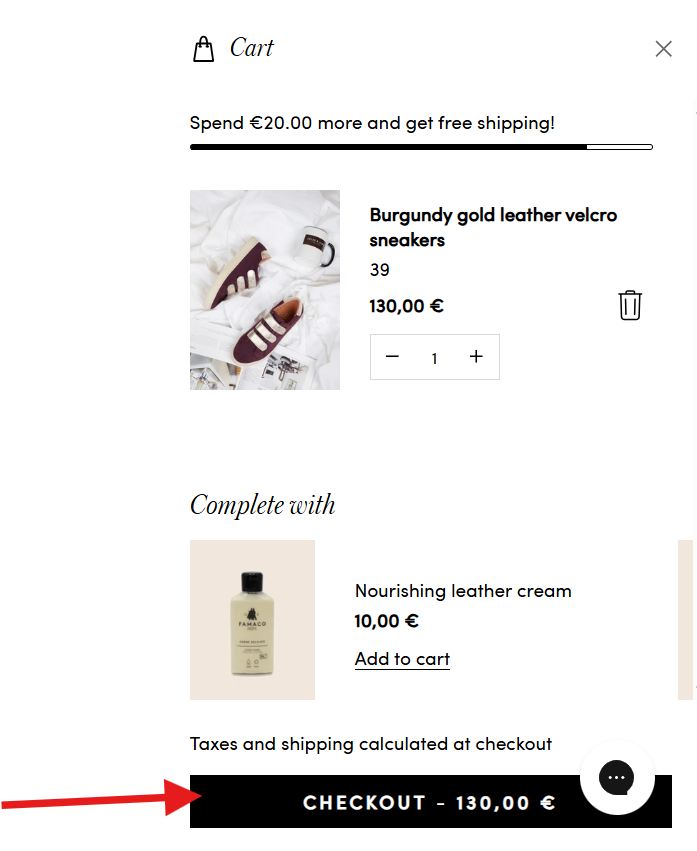
Once your items are selected, click on "View my cart". You will find a complete summary of the items you have added. Check the details, then click on "Checkout".
3. Enter your details and choose delivery
- Fill in your complete shipping address. The carrier options will only appear once this address is provided.
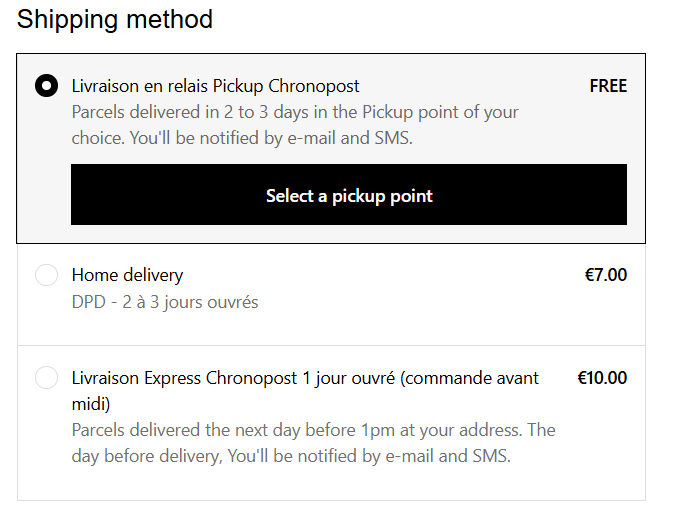
- Then, select your preferred delivery method.
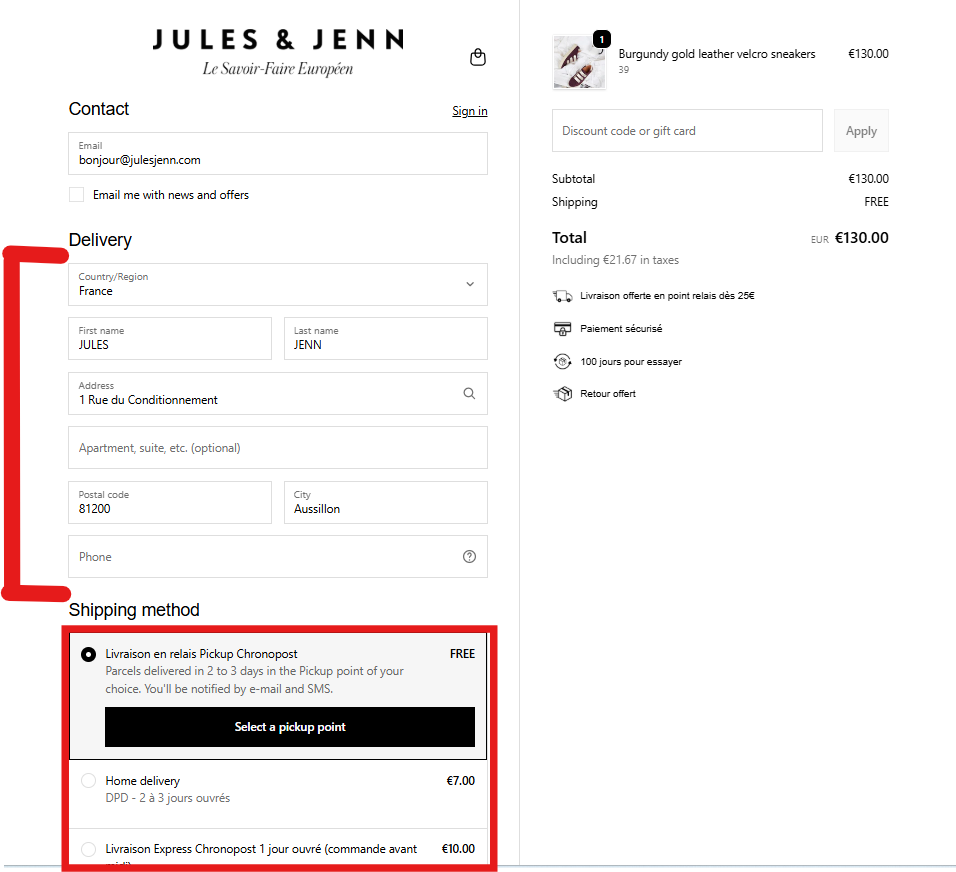
- Note: If you choose delivery to a pick-up point, make sure to click on "Select a pick-up point".
4. Proceed to secure payment
Choose your payment method and enter a different billing address if necessary. Finally, click on "Pay now" to complete the purchase.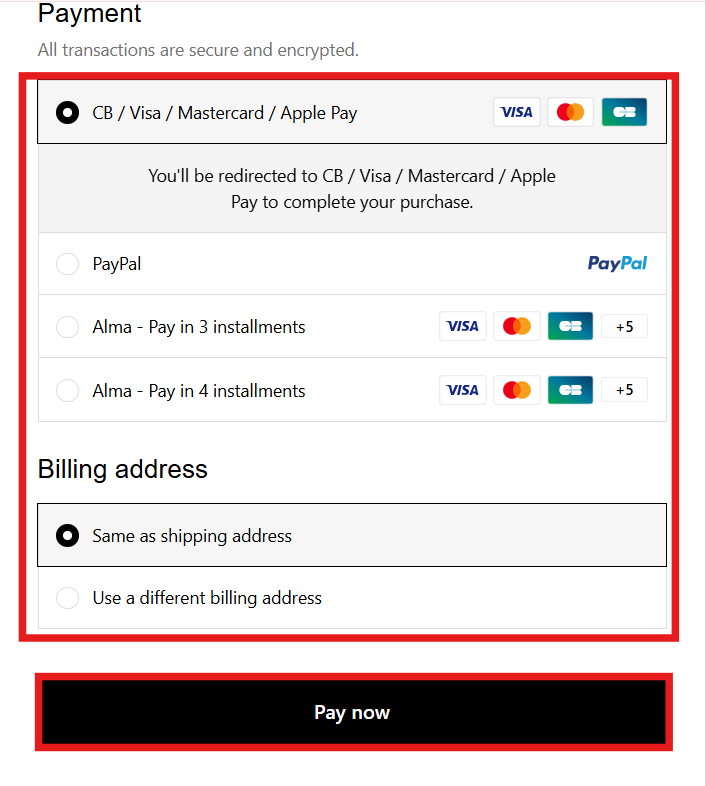
5. Order confirmation
You are all set! You will receive an order confirmation email from us. Please remember to check your spam or junk folders, as our emails sometimes hide there.
Need help?
To ensure the maximum security of your banking data, we cannot take orders over the phone. However, our team is at your full disposal to guide you live through every step of your purchase.